
 By Jess Martin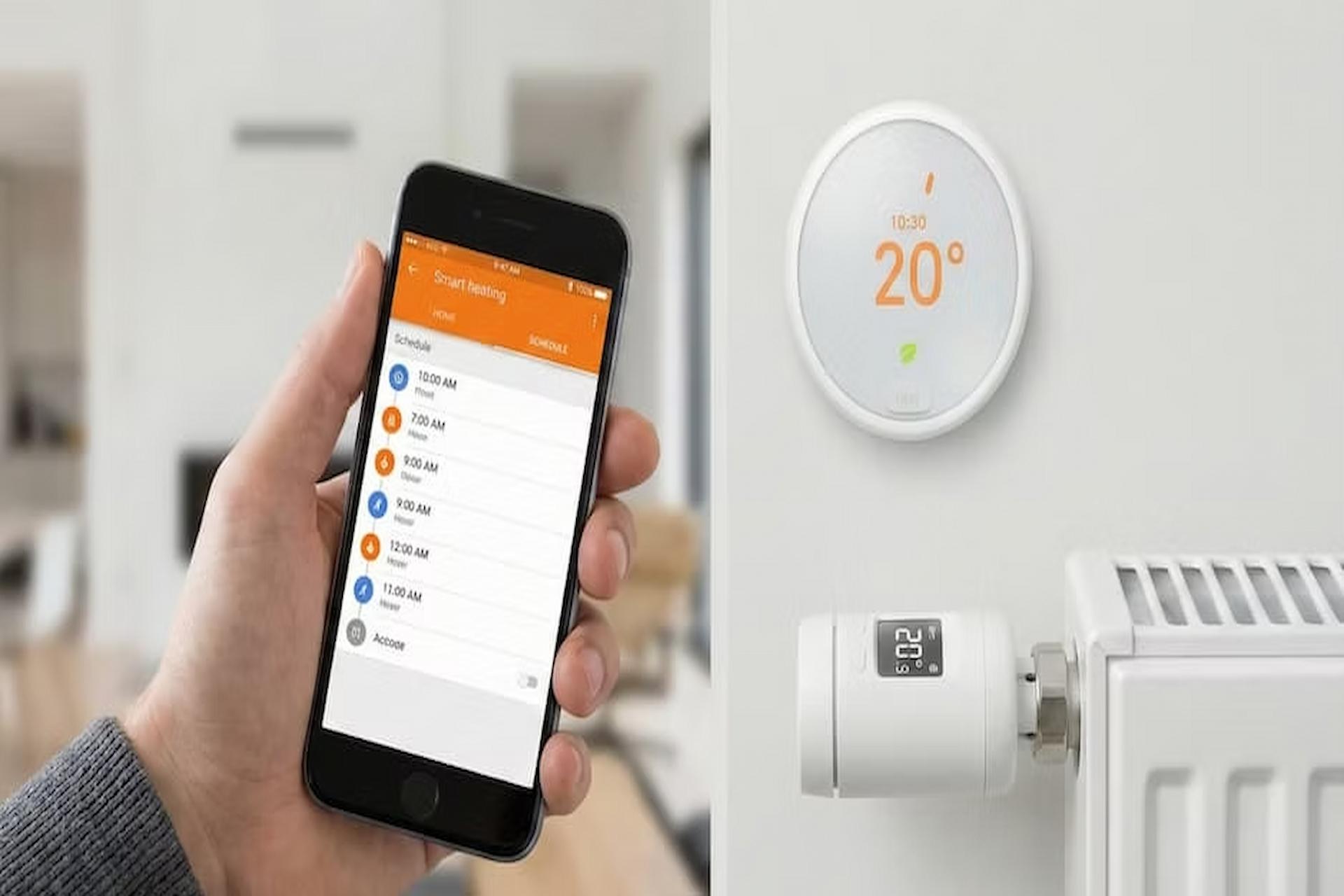
Introduction
Smart thermostats have rapidly become one of the most popular smart home upgrades for homeowners looking to improve energy efficiency, reduce utility bills, and gain better control over indoor comfort. However, many people never experience the full benefits these devices promise because they are not installed, programmed, or optimised correctly. A smart thermostat is much more than a digital temperature controller. When properly configured, it can help lower heating and cooling costs, automate temperature management, and improve overall HVAC system performance throughout the year. From understanding thermostat compatibility and C-wire requirements to creating energy-saving schedules and using advanced features like geofencing and learning technology, every setup decision affects long-term results. This comprehensive smart thermostat setup guide explains how to install, program, and optimise your device so you can maximise energy savings, improve home comfort, and get the performance manufacturers advertise.
Understanding Compatibility Before You Buy
One of the most common mistakes homeowners make is purchasing a smart thermostat before checking whether their HVAC system is compatible. Most modern smart thermostats require a common wire, often called a C-wire, which provides continuous power to the device.
Before purchasing a thermostat, remove the cover from your existing unit and inspect the wiring. Many thermostats have labels next to each wire terminal. If you see a wire connected to a terminal marked “C,” your system is likely ready for most smart thermostat models.
If your system does not have a C-wire, don’t assume installation is impossible. Many manufacturers provide power adapters or alternative solutions. In some cases, an HVAC technician can install a new wire without significant disruption. Compatibility should also include checking whether the thermostat supports your specific heating and cooling system. Heat pumps, multi-stage systems, boilers, and electric heating systems may have different requirements.
Installing the Thermostat Correctly
Once compatibility has been confirmed, installation is usually straightforward. Always begin by turning off power to your HVAC system at the circuit breaker to prevent electrical issues. Carefully remove the existing thermostat and take a photograph of the wiring before disconnecting anything. This simple step can prevent confusion later if you need to double-check wire placement.
After mounting the new thermostat base, connect each wire to the corresponding terminal according to the manufacturer’s instructions. Once everything is secured, attach the thermostat display and restore power. Most smart thermostats will guide you through an on-screen setup process. This includes identifying your HVAC system type, connecting to WiFi, and downloading the companion mobile application.
Why Initial Setup Matters More Than Most People Realise
Many homeowners rush through the setup process and accept every default setting. While this may seem convenient, it often limits the thermostat’s effectiveness. During setup, pay close attention to comfort preferences, occupancy schedules, temperature ranges, and energy-saving options. These settings help the thermostat understand how your household operates.
For example, if your family regularly leaves home during work and school hours, entering accurate occupancy information allows the thermostat to reduce energy usage when no one is present. Small setup decisions like these can significantly affect long-term performance.
Building a Schedule That Matches Real Life
The biggest energy savings typically come from intelligent scheduling rather than simply lowering temperatures. Many homeowners create ideal schedules that look good on paper but do not reflect daily life. A schedule only works if it aligns with actual routines.
Consider when people typically wake up, leave for work, return home, and go to bed. Program temperature adjustments around those habits rather than around what you hope your schedule will be. A realistic schedule allows the thermostat to maintain comfort when needed while reducing unnecessary heating or cooling during unoccupied periods. Over time, these adjustments can reduce energy consumption without requiring constant manual intervention.
Understanding Learning Features and Geofencing
Many modern thermostats include learning capabilities that automatically adjust schedules based on behaviour patterns. Some systems also offer geofencing, which uses smartphone locations to determine whether occupants are home or away.
Learning features can be extremely useful, especially for households with predictable routines. However, they are not perfect. During the first few weeks, monitor performance and make adjustments when necessary.
Geofencing works particularly well for people with changing schedules. Instead of relying solely on fixed programming, the thermostat can react to actual occupancy patterns. When everyone leaves home, energy-saving temperatures activate automatically. When someone returns, comfort settings resume. Using these features strategically often delivers better results than relying entirely on manual control.
Making Sense of Energy Reports
One of the most valuable tools included with many smart thermostats is energy reporting. These reports show heating and cooling usage patterns and often provide suggestions for improving efficiency.
Review reports regularly instead of ignoring them. Look for periods of unusually high energy consumption and identify possible causes. Frequent temperature overrides, excessive runtime, or unusually aggressive comfort settings may reveal opportunities for improvement. Even small adjustments can create noticeable savings over the course of a year. Energy reports transform the thermostat from a simple control device into a practical energy management tool.
Seasonal Adjustments That Improve Efficiency
A thermostat schedule should not remain unchanged throughout the year. Seasonal adjustments help optimise both comfort and efficiency.
During summer, slightly higher cooling temperatures when the home is empty can significantly reduce air conditioning costs. During winter, slightly lower temperatures during sleeping hours often provide savings without affecting comfort.
Review schedules at the beginning of each season. Weather conditions, daylight hours, and household routines often change throughout the year, and your thermostat settings should evolve accordingly.
Integrating Your Thermostat With Other Smart Home Devices
Smart thermostats become even more effective when integrated with other connected devices. Smart sensors can improve temperature accuracy in specific rooms. Smart blinds can reduce solar heat gain during hot afternoons. Smart ceiling fans can improve air circulation and help maintain comfortable temperatures with less HVAC usage. These integrations allow multiple systems to work together, creating a more responsive and energy-efficient home environment.
Utility Programs That Can Increase Savings
Many utility providers now offer demand-response programs that work directly with compatible smart thermostats. These programs help reduce electricity demand during peak usage periods. In exchange, participants often receive rebates, incentives, or reduced energy rates. Participation requirements vary by location, but enrolling in an available program can provide additional financial benefits beyond standard energy savings.
Frequently Asked Questions
How much money can a smart thermostat actually save?
Actual savings vary depending on climate, energy costs, and household habits. Most homeowners see the greatest benefits when schedules are properly configured and energy-saving features are actively used. Consistent use often produces better results than occasional manual adjustments.
Do I need professional installation?
Many homeowners can successfully install a smart thermostat themselves. However, professional installation may be beneficial if wiring is unclear, a C-wire is missing, or the HVAC system has complex controls.
What happens if WiFi goes down?
Most smart thermostats continue operating based on their existing schedules even without internet access. Remote control features and cloud-based services may become temporarily unavailable until connectivity returns.
Is geofencing better than traditional scheduling?
Geofencing works particularly well for households with unpredictable routines. Traditional schedules are often sufficient for families with consistent daily patterns. Many users achieve the best results by combining both approaches.
How often should thermostat schedules be updated?
Review schedules at least twice a year when transitioning between heating and cooling seasons. Additional adjustments may be needed if household routines change significantly.
Are learning thermostats always accurate?
Learning thermostats improve over time but are not perfect. Monitoring performance during the first few weeks helps ensure the system accurately reflects your household’s actual behaviour and comfort preferences.
Final Thoughts
A smart thermostat can be one of the most effective energy-saving upgrades a homeowner makes, but only when it is used to its full potential. Simply installing the device is not enough. Real savings come from thoughtful setup, realistic scheduling, proper use of automation features, and regular review of performance data.
By understanding compatibility requirements, optimising settings, taking advantage of learning capabilities, and making seasonal adjustments, homeowners can transform a smart thermostat from a convenient gadget into a powerful energy management tool. The result is greater comfort, lower utility bills, and a home that operates more efficiently throughout the year.